Advanced editors5 min read
Make a Zack D Films short step by step
Write a script, pick a voice, a look and your main character, then fine tune any shot in the editor.
Open Zack D FilmsThe Zack D Films format makes 3D narrator shorts in the style of the famous channel. You give it a script or one idea. TaleTok draws every shot, animates it and adds the voice, music and captions.
A short costs 135 credits on Balanced or 155 on Best quality, for a script up to 700 characters. Setup has four steps: Script, Voice, Look and Character.
Start a project
Open Zack D Films in the sidebar. The sidebar link takes you straight to a new project. To see your other projects, press Projects at the top left of the setup.
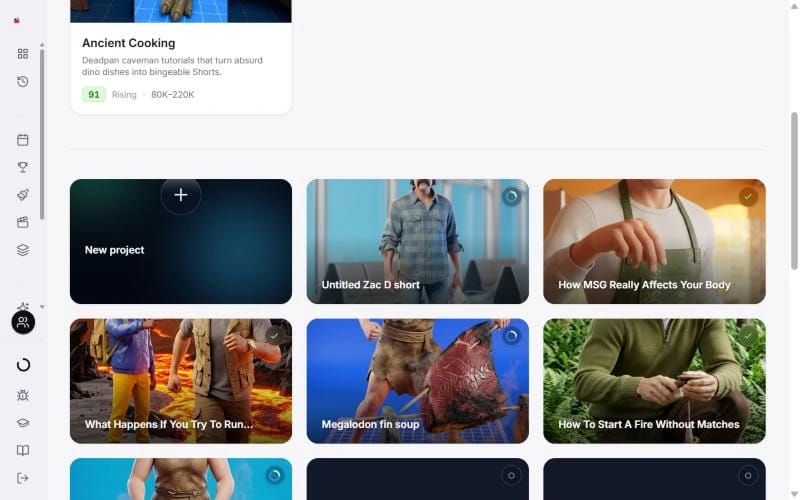
- Press New project (the + card) to start from a blank page.
- Open a template like Ancient Cooking and press Create with template. The template shapes the script to suit its style.
- Cards marked Example are finished shorts. They open read only so you can look around, with Create your own to start yours.
Step 1: Script
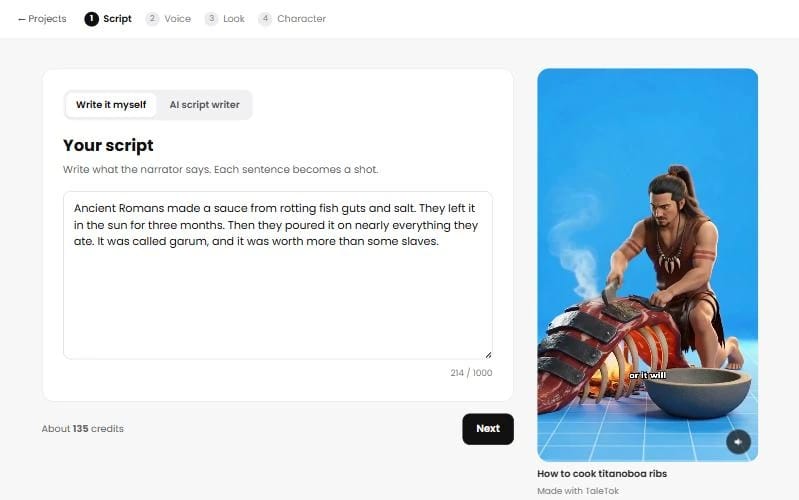
- Write it myself is where you start. Type what the narrator says, at least 40 characters. Each sentence becomes a shot.
- AI script writer writes it for you, for free. Type what the video is about, like What happens if you swallow gum? Tap a suggestion or press More ideas if you are stuck.
Scripts can run to 1,000 characters, about 65 seconds. Past 700 characters the price grows with the length, up to 195 credits on Balanced or 225 on Best quality. About N credits next to Next always shows the current total.
Step 2: Voice and sound
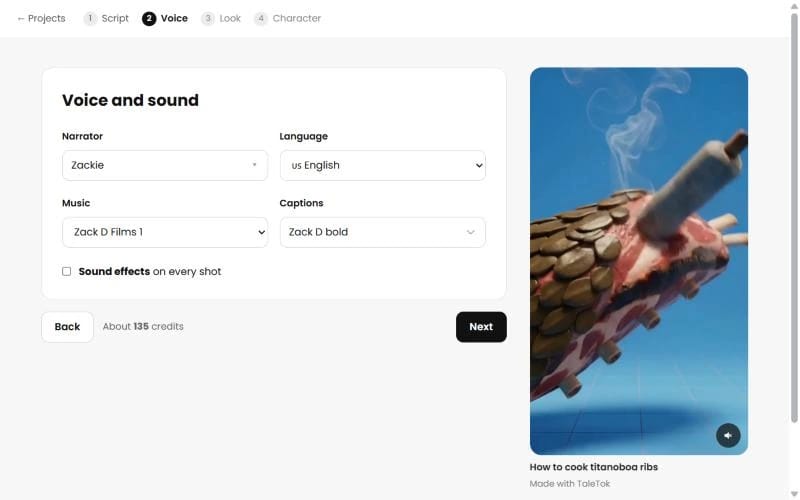
Pick the Narrator, the Language, the Music and the Captions. Tick Sound effects to add sound to every shot. It is off by default.
Step 3: Look and quality
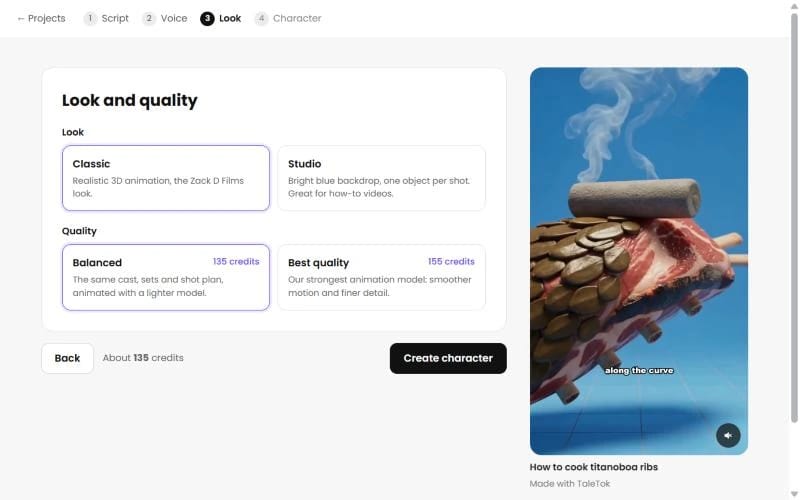
- Look. Classic is the realistic 3D look of the channel. Studio puts one object per shot on a bright blue backdrop, great for how to videos.
- Quality. Balanced uses a lighter animation model. Best quality uses the strongest one, for smoother motion and finer detail.
Press Create character.
Step 4: Pick your main character
TaleTok draws three options for the star of your short. Click the one you like and press Use this character. Your frames start drawing the moment you choose.
The character options come with a plan. On a free account there is no Character step: Create video opens the plans, and after checkout your short starts by itself and draws its main character from your script.
The editor
The editor opens while your short builds. Every shot appears on the timeline as soon as it is ready, and you can leave the page and come back at any time. TaleTok renders the short by itself when the shots are done.
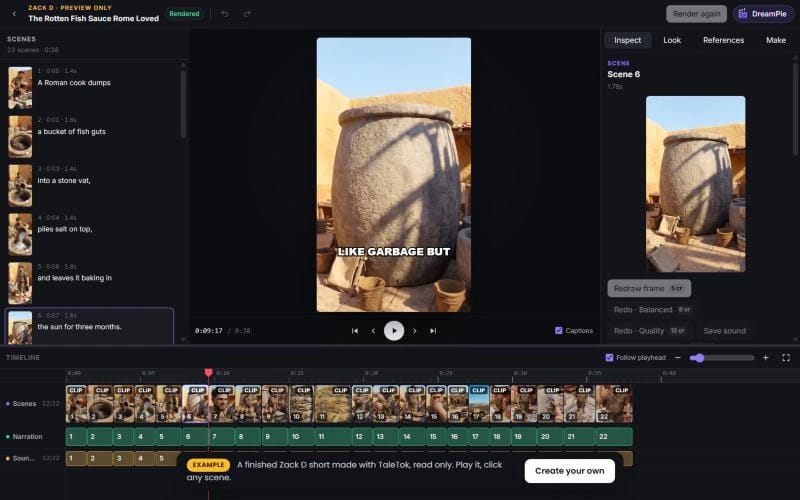
Click any scene and use the Inspect tab on the right:
- Frame prompt. Describe the picture you want, then press Redraw frame (5 credits).
- Motion prompt and Redo · Balanced (8 credits) or Redo · Quality (12 credits) animate the shot again.
- Camera move and Transition into next scene change how the shot moves. These are free.
- Sound effect. Press Make sound or Redo sound (2 credits).
The first redraw and the first new animation of each scene are free, and the button says Free until you have used them.
The other tabs are Look, References and Make, which shows each step's progress.
Finish and post
When it is ready the status says Rendered. Press Download MP4, or Schedule to YouTube to post it on your channel. Changed a shot afterwards? Press Render again. Rendering is free.
Quick answers
Can I leave while it works? Yes. Open the project again from the Zack D Films page and it picks up where it was.
Why does a shot look odd? Describe it more simply in the frame prompt. One clear action per shot works best.
Can I change a line of narration after the short is made? Not in this editor. Get the script right before you press Create character.
Can DreamPie make changes for me? Yes. Press DreamPie in the top bar and ask, for example, "redraw scene 3". See Get help from DreamPie.
Keep learning
5 min read
Make an AI Short step by step
Write a script, pick a look and a voice, then let TaleTok make it or check every scene first.
5 min read
Review and finish your episode
Watch your first ten seconds, build the episode, approve every picture and render a long video ready to post.
4 min read
Make a Dark Story, 3D Documentary or explainer
Create everything in one click, change any scene, then render and download your episode.
2 min read
Change one scene without starting over
Fix a single picture or clip in any editor and keep everything else.