All guides
Post and grow2 min read
Make every video look on brand
Pick a format, then set its look, clone a style and choose your narrator.
Set your brandViewers subscribe to channels that feel the same every time. Open Channel brand under Studio in the sidebar and pick a format: 3D Documentary, Dark Stories, Motion or Stickman. Each card shows what that format starts with now.
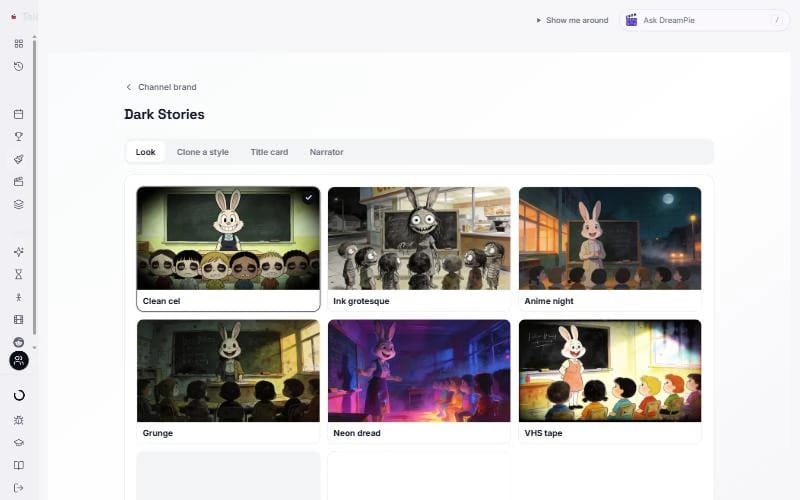
Inside a format you only see what that format uses:
- Look (Character for Stickman). Press a picture to make it what every new video starts with. You can still change it for any single video.
- Clone a style. Paste a video link to make a look of your own. See clone a style.
- Title card (Dark Stories). Your channel name on every story, first word white and the rest in your colour.
- Logo (Motion). Upload a logo and show it in the corner of every video.
- Narrator. Pick your voice, or clone your own.
Keep learning
2 min read
Connect your YouTube channel
Link your channel once to track growth and post videos straight from TaleTok.
2 min read
Schedule a finished video to YouTube
Pick a day and time and TaleTok posts your video for you.
3 min read
Autopost a series
Set up a series once and TaleTok makes and posts new videos on your schedule.
2 min read
Clone a style from a video link
Paste a video or picture and TaleTok makes a look for the format you are setting up.