Studio and episodes4 min read
Start a long video episode
Pick a format, give it a topic and choose the look and voice for a video that can earn money.
Start an episodeEpisodes are long videos, up to 30 minutes each, made for channels that want to earn money on YouTube.
Open Episodes
In the sidebar, open Episodes under Studio.
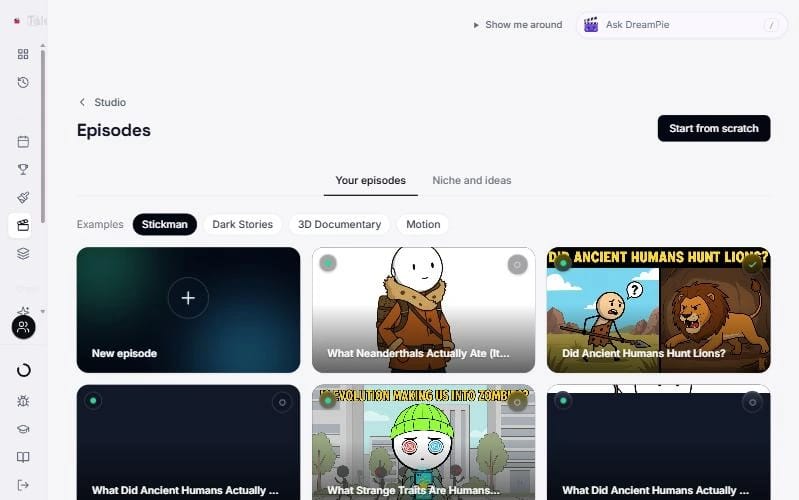
- Your episodes shows everything you have made, starting with the New episode card.
- Examples shows finished episodes for Stickman, Dark Stories, 3D Documentary and Motion. They open read only, with Create your own to start yours.
- Niche and ideas shows topics that are doing well right now. Open one to start from it.
- Press Start from scratch at the top to begin with a blank episode.
Step 1: Format
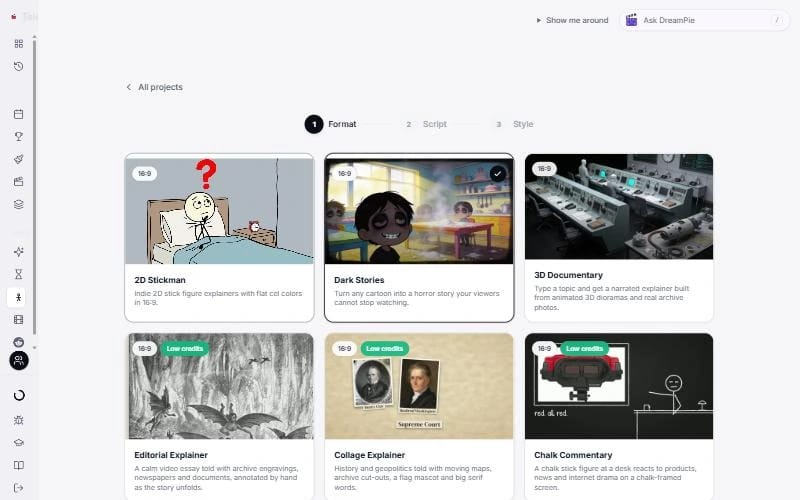
- 2D Stickman explains a topic with simple, friendly drawings.
- Dark Stories twists a cartoon everyone knows into a creepy animated story.
- 3D Documentary tells real history with animated 3D scenes and archive photos.
- Editorial Explainer, Collage Explainer, Chalk Commentary and Pixel Facts are animated explainers. They cost far fewer credits per minute because most of it is not painted by AI. Pixel Facts is vertical; the others are wide.
Press Continue.
What it costs
These are the lowest prices, and they are estimates. The wizard shows Estimated to create it all next to the length as you choose.
- 2D Stickman: 5 minutes 177 credits, 10 minutes 352, 20 minutes 702, 30 minutes 1,052. Best quality adds 25%. Music and sound effects add up to 59 credits on Fast.
- Dark Stories: on Classic, 5 minutes 425, 10 minutes 730, 20 minutes 1,334. Fast cuts and Cinematic cost more: at 10 minutes, 1,162 and 1,302.
- 3D Documentary: 5 minutes 1,214, 10 minutes 2,290, 20 minutes 4,430.
- Editorial and Chalk: 5 minutes 144, 10 minutes 273, 20 minutes 530.
- Collage: 5 minutes 164, 10 minutes 312, 20 minutes 608.
- Pixel Facts: about 45 for a 45 second short, 124 for 5 minutes.
2D Stickman
Script. Paste your narration, press Create with AI for a full script, or use Clone script from video. It needs at least 40 characters.
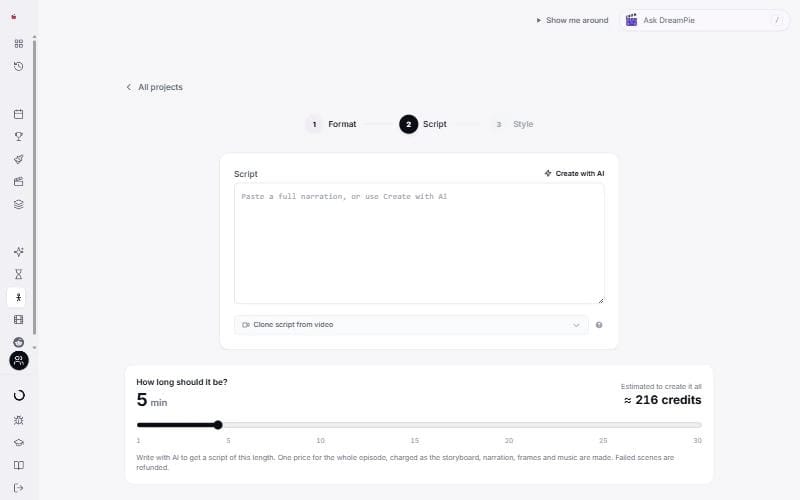
How long should it be? Pick 1 to 30 minutes. Once you have a script, its length sets the time and the price. Failed scenes are refunded.
Image quality. Fast is the lowest price and Best quality costs 25% more.
Music and sound effects are off to start with. Turn the switch on to add music, an opening hit. It shows the credits they add.
Style has three small steps:
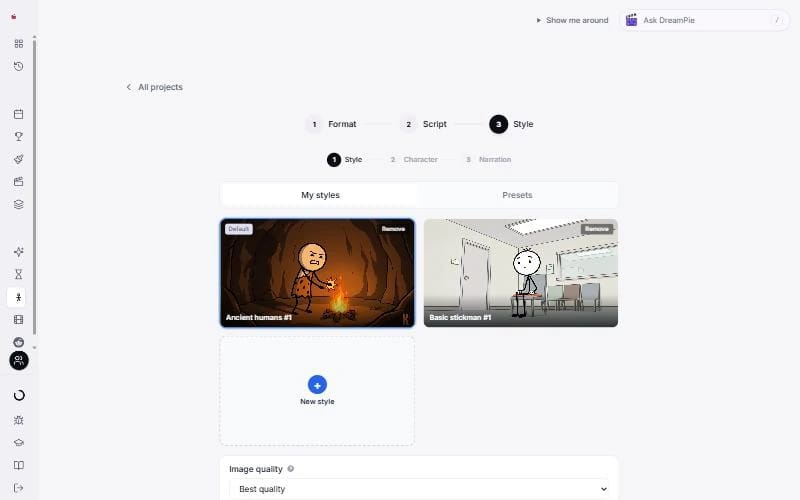
- Style. Pick from My styles or Presets, or press New style.
- Character. Pick your main character. Press Regenerate for new options, or Create your own.
- Narration. Pick the voice and Language, and turn Captions on or off.
On a free account there is no Character step. Press Create project: on a plan TaleTok draws your first ten seconds, and on a free account the plans open with your script kept. See Review and finish your episode.
Dark Stories
Script. Answer Which cartoon should we twist? and How long is the story?, 1 to 30 minutes.
Style. Pick an Art style (or Clone a style), Pick a pace (Classic, Fast cuts or Cinematic) and a Narrator.
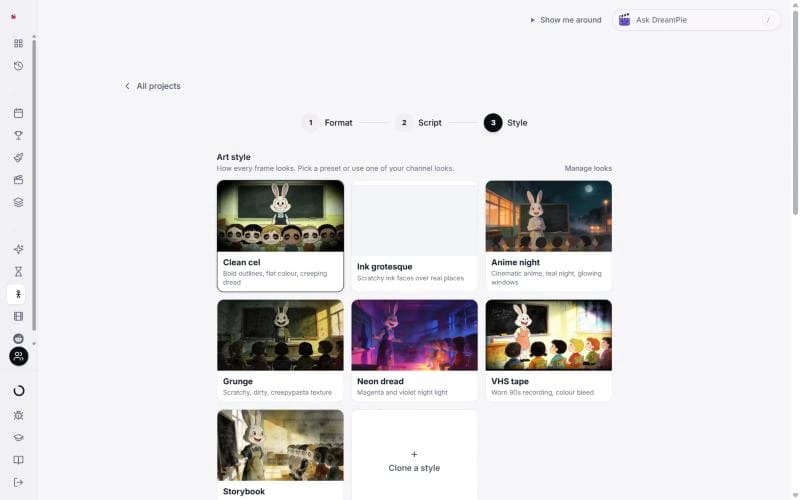
3D Documentary and the explainers
These have one more step, Brief, with everything on it: your topic, an angle if you want one, the look, the narrator and the length. 3D Documentary runs from 1 to 30 minutes, and the explainers from 30 seconds to 30 minutes.
Create
On Dark Stories, 3D Documentary and the explainers, leave Review script first ticked next to Create project if you want to read the script before anything is made. Read Review your script before the editor.
Press Create project. You are charged step by step, never all at once.
Next
- 2D Stickman: Review and finish your episode
- Every other format: Make a Dark Story, 3D Documentary or explainer
Keep learning
2 min read
Review your script before the editor
Read the script, fix any line or the title, or rewrite it, before a single picture is made.
2 min read
Connect your YouTube channel
Link your channel once to track growth and post videos straight from TaleTok.
3 min read
Make your first video
Pick a format, add a script and get a finished video, with what each one costs.
3 min read
When something does not look right
What to do if a video stops, a scene looks wrong or you cannot find your work.